
One-Handed Games for Holding a Baby
You are holding a sleeping baby against your chest. Your free hand is on a phone or a handheld, and you want ten minutes of something that does not demand both thumbs. This is a real situation, and plenty of games are built for it. You just need to know which ones.
The short answer: phone games with tap or swipe controls are the easiest fit. Handhelds work well when you remap buttons to one side. The trick is picking games that pause instantly, save on their own, and do not punish you for putting the device down mid-action.
Key takeaways
- Phone games with single-thumb controls are the simplest one-handed option and pause the moment you set them down.
- Steam Deck, Switch, Xbox and PS5 all let you remap buttons so one hand can cover the essentials.
- Visual novels, idle games and simple puzzle games need the least input and are the safest bets for unpredictable interruptions.
- Avoid games with long unskippable cutscenes, tight timing windows or online-only modes when you are holding a baby.
What makes a game work one-handed
A one-handed game needs three things: minimal inputs, instant pause, and forgiving saves. If a game asks you to press two buttons at the same time, you are already out. If it has a 90-second cutscene you cannot skip, you will lose your window. If it only saves at a checkpoint three minutes away, you will lose progress every time the baby stirs.
The best fits are games where a single tap, a single swipe, or a single button press does the work. Think of games where you are choosing, not reacting. Puzzle games, card games, visual novels, idle games and exploration games with no combat all fit this shape.
Phone games you can play with a thumb
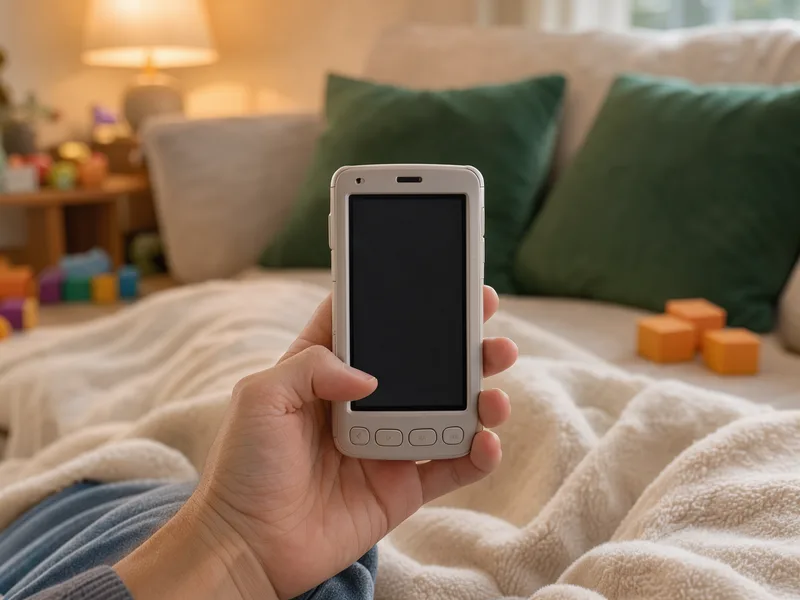
Your phone is the most natural one-handed device. You already hold it with one hand while the other is occupied, and touch controls mean you rarely need more than a tap or a swipe.
Monument Valley is a good example. You tap to move, swipe to rotate platforms, and the game pauses the instant you lock your screen. Alto's Adventure and its sequel Alto's Odyssey need one tap to jump and nothing else. Crossy Road uses swipes in four directions. All three are short-session games you can pick up and put down without losing anything.
The advantage of phone games is that they suspend automatically. You set the phone down, the screen locks, and when you come back the game is exactly where you left it. No save menu, no checkpoint anxiety. If you want to understand how this suspend behavior works on other devices, see suspend and resume explained.
Handheld games that need minimal input
On a Switch or Steam Deck, one-handed play depends on the game's control scheme and your willingness to remap.
Visual novels are the easiest category. Games like Doki Doki Literature Club, Ace Attorney or any visual novel on Steam need one button to advance text. You can remap that button to a single face button on one side of the controller and play the whole game with your thumb.
Idle and incremental games work the same way. Games like Cookie Clicker or Universal Paperclips need occasional taps and nothing else. They save automatically and pause when you close the app.
Simple puzzle games like Tetris, Threes or 2048 need one directional input. On a handheld, you can remap the d-pad to a single stick or to face buttons on one side.
For games with slightly more input, like a light platformer, you can remap jump to a face button and left-right to a single stick. This works on Steam Deck and Switch. It is not perfect, but it is enough for a casual run.
| Platform | Remapping options | One-handed suitability | Pause behavior |
|---|---|---|---|
| Phone | Not needed (touch controls) | Best fit for most games | Auto-suspend on screen lock |
| Nintendo Switch | System-level button remapping in Settings | Good for visual novels, puzzles and idle games | Sleep mode suspends instantly |
| Steam Deck | Full per-game remapping through Steam Input | Good for any game with simple inputs | Suspend button pauses instantly |
| Xbox (with controller) | Copy Mapping and accessibility remapping | Possible but awkward on a couch | Quick Resume or manual pause |
| PS5 (with controller) | Button remapping in Accessibility settings | Possible but awkward on a couch | Manual pause only |
Remapping your controller for one-handed play
Every major platform now offers some form of button remapping. This is the key that unlocks one-handed play on a handheld or even a console controller.
On Steam Deck, open the Steam menu while a game is running, go to Controller Settings, and you can assign any action to any button. You can put jump, confirm and menu on the right face buttons and movement on the right stick. Your left hand stays on the baby.
On Switch, go to System Settings, then Controllers and Sensors, then Change Button Mapping. You can swap buttons globally. This is less flexible than Steam Deck because it applies to all games, but it works for simple titles.
On Xbox, the Accessibility settings include Copy Mapping, which lets you duplicate a button to another position. On PS5, Accessibility settings include custom button assignments. Both are designed for accessibility and work well for one-handed play.
The practical limit: games that need two simultaneous inputs (like aiming and shooting at the same time) are hard to play one-handed no matter how you remap. Stick to games where inputs are sequential, not simultaneous.

Keeping the audio quiet
If you are holding a sleeping baby, sound is your enemy. Most handhelds and phones let you mute or lower volume instantly. On Switch, press and hold the volume button to mute. On Steam Deck, the volume buttons are on the top edge.
Some games have a mute option in their settings menu. Others do not, which means you are relying on system volume. Before you start a game, check whether it has a music toggle or a mute option. Games with ambient music are easier to mute than games with constant voice acting, because you can lower the volume without losing the experience.
If you are on a phone, silent mode mutes everything. This is the simplest solution and the reason phone games are the safest bet for a sleeping household.
Games to avoid when you are holding a baby
Not every game fits this situation. Avoid anything with tight timing windows, like action games where a single missed input means death. Avoid games with long unskippable cutscenes, because you cannot pause a cutscene on most platforms. Avoid online-only games, because you cannot pause them at all. If you want to understand why, read why you cannot pause online games.
Also avoid games that only save at distant checkpoints. If the next save point is five minutes away and the baby wakes up in two, you lose progress. Games with autosave or save-anywhere are much safer. See save anywhere vs checkpoints for a breakdown of how different save systems work.
Common questions about one-handed gaming
Can I play any game one-handed if I remap the buttons?
No. Games that require two simultaneous inputs, like aiming with one stick and shooting with a trigger, are very hard to play one-handed. Games where inputs happen one at a time, like pressing a button to advance dialogue or tapping to move a piece, work well with remapping.
Do phone games always pause when I set them down?
Most do, because the operating system suspends the app when the screen locks. A few games with real-time gameplay (like some action games) may continue running briefly before suspending. For the vast majority of puzzle, card and exploration games, the pause is instant and complete.
Is a Steam Deck better than a Switch for one-handed play?
Steam Deck has more flexible remapping because you can set different button layouts per game. Switch remapping is global, so it affects every game. If you play a variety of games, Steam Deck gives you more control. If you play one or two simple titles, Switch works fine.
What about playing on a TV with a controller?
You can remap a controller on Xbox or PS5, but holding a baby while sitting on a couch with a controller is less practical than using a handheld. The controller is larger, and you cannot set it down as quickly. Handhelds and phones are better suited to this situation.
Are there one-handed games that are actually good, not just simple?
Yes. Visual novels like Ace Attorney or Doki Doki Literature Club have full stories and need only one button. Puzzle games like Monument Valley or Threes are genuinely clever. Idle games like Universal Paperclips have surprising depth. You do not have to play something shallow just because you are holding a baby.